Apple A1521 AirPort Extreme 6th Generation Thoroughly Tested
Works Perfect.USD $32.95
Condition : Used
Free Shipping

Notify me when the price drops
We will email you if we find a lower price on this product!
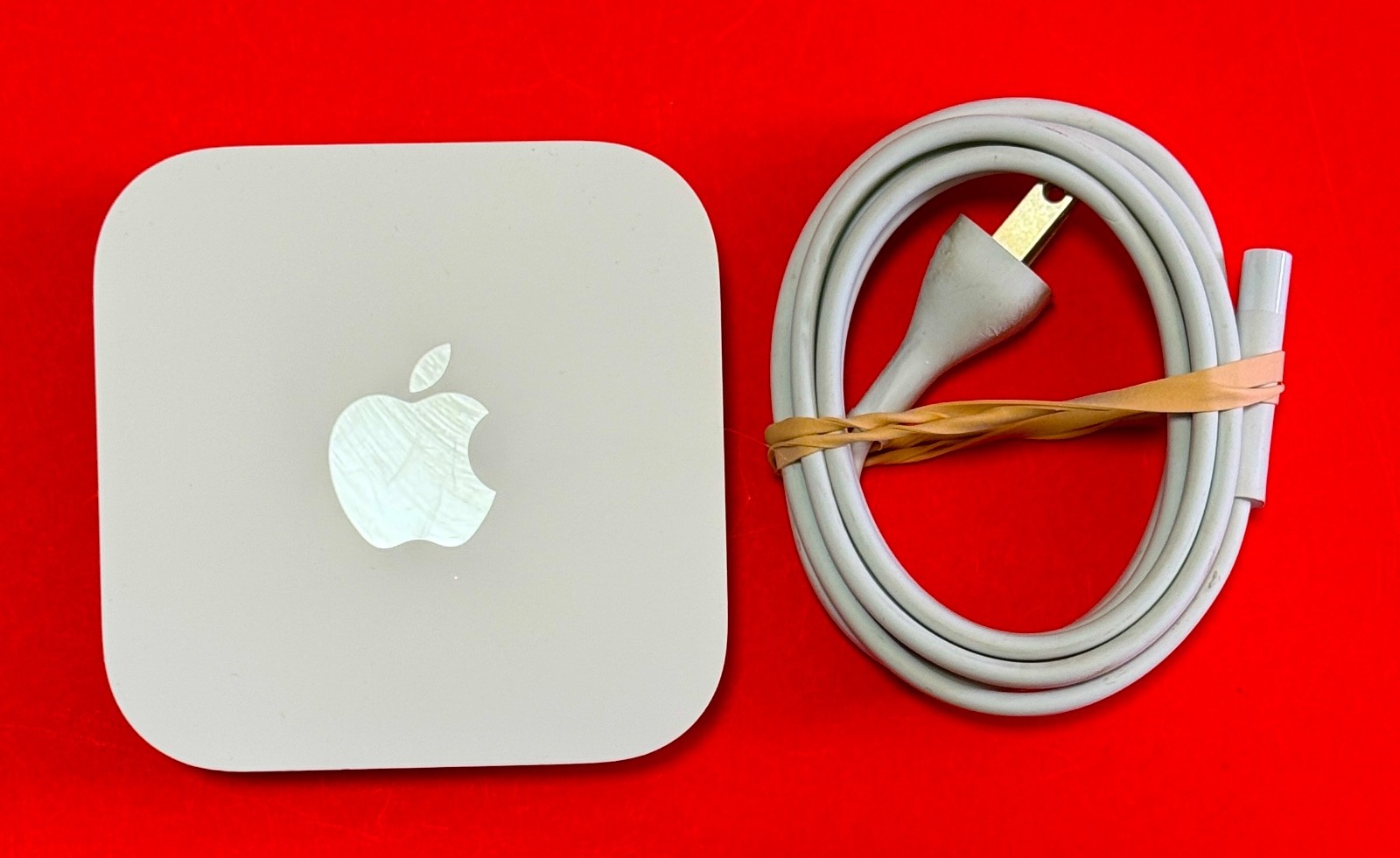
Apple A1521 6th Generation AirPort Extreme Wireless Router Tested and Updated, Works Perfect!
This has been extensively tested and is 100% Functional. It has been thoroughly cleaned. It is updated to the most recent firmware and re-tested. This comes with a power cord (cord may vary from what is pictured depending on what is in stock at the time we ship). This does not come with original packaging. You will receive an item as pictured. Feel free to ask any questions before purchasing.
I built my first PC in 1994. I tore apart, fixed, and put back together my first Mac in the Early 2000s. Since then I have been building and rebuilding a huge assortment of electronics. I specialize in Apple Products.
************READ THIS************
It is necessary for anyone with FeedBack of 9 or below to get authorization before purchasing. Any purchases made without prior approval by users with feedback below 10 are subject to cancellation.Feedback is automated and left as soon as positive feedback is received. If you would like feedback for your purchase then all you have to do is leave positive feedback when you are satisfied with your order. If you have any problems, please contact us before leaving feedback. All inquiries and clarifications should be made BEFORE purchasing.
Dimensions: 3.85 inches (98 mm) by 3.85 inches (98 mm) by 6.6 inches (168 mm)
Weight: 2.08 pounds (945 grams)1
IEEE 802.11a/b/g/n/ac
Six-element beamforming antenna array
Simultaneous dual-band 2.4GHz and 5GHz
Radio output power: 32.5 dBm maximum (varies by country)
Channels 1-11, 36-116, 132-140, and 149-165 approved for use in the United States and Canada
Channels 1-13, 36-64, and 100-140 approved for use in Europe and Japan
Channels 1-13, 36-64, and 149-165 approved for use in Australia, Hong Kong, and New Zealand
Interoperable with 802.11a, 802.11b, 802.11g, 802.11n, and 802.11ac-enabled Mac computers, iOS devices, Apple TV, Windows-based PCs, and other Wi-Fi devices
NAT, DHCP, PPPoE, VPN Passthrough (IPSec, PPTP, and L2TP), DNS Proxy, IPv6 (6to4 and manual tunnels)
Wi‑Fi Protected Access™ (WPA/WPA2)2
WPA/WPA2 Enterprise2
MAC address filtering
NAT firewall
802.1X, PEAP, LEAP, TTLS, TLS, FAST
Time-based access control
Printed documentation included
AirPort Utility for Mac available for free download
AirPort Utility for iOS available for free download
Bonjour for Windows available for free download
Simultaneous dual-band 802.11ac wireless
Gigabit Ethernet WAN port for connecting a DSL modem, cable modem, or Ethernet network
USB 2 port for connecting a USB printer or hard drive3
Three Gigabit Ethernet LAN ports for connecting a computer, Ethernet hub, or networked printer
Built-in power supply
50
100-240V AC, 50-60Hz; input current: 1.5 amp
Operating temperature: 32° to 95° F (0° to 35° C)
Storage temperature: -13° to 140° F (-25° to 60° C)
Relative humidity (operating): 20% to 80%, noncondensing
Operating altitude: tested up to 10,000 feet (3000 m)
Maximum storage altitude: 15,000 feet
FCC Part 15 Class B, Canada RSS-210, EN 300-328, EN 301-489, EN 301 893, ARIB STD-T66, RCR STD-T33, AS/NZS 4268: 2003, UL 60950, CSA-C22.2 No. 60950, GB 4943.1-2011
Setup and Administration
iPhone, iPad, or iPod touch with iOS 6 or later and AirPort Utility 1.3
Mac with OS X Lion v10.7.5 or later and AirPort Utility 6.3
Wireless Device Access
Any Wi‑Fi-enabled device that uses the 802.11a/b/g/n/ac specification
Shared Printing with a USB Printer
USB printer
Mac with OS X v10.2.7 or later
PC with Windows XP (SP3), Windows Vista (SP2), Windows 7 (SP1), or Windows 8
Shared USB Hard Drive
Mac with OS X v10.4.8 or later
PC with Windows XP (SP3), Windows Vista (SP2), Windows 7 (SP1), or Windows 8







 .
